
Infrastructure Taxonomy (Groups)
Strategies for organizing complex server fleets
When you manage hundreds of servers, a flat list is useless. Netcatty provides two powerful tools for taxonomy: Strict Hierarchy (Groups) and Fluid Context (Tags).
This guide helps you design a Vault structure that scales.
Strategy 1: The Geographical Tree (Physical)
Best for: MSPs (Managed Service Providers) or Multi-Datacenter orgs.
📂 Vault
  📂 US-East (N. Virginia)
    📂 VPC-Primary
      📂 Public Subnet
        - Bastion-01
        - LB-01
      📂 Private Subnet
        - App-01
        - DB-01
  📂 EU-West (Ireland)
    ...
Pros: No ambiguity. A server is physically located in one place. Cons: Hard to "Patch all DB servers" across regions.
Strategy 2: The Functional Tree (Logical)
Best for: Platform Engineering teams.
📂 Vault
  📂 Databases
    📂 Postgres
      - Primary
      - Read Replica
    📂 Redis
  📂 Web Layer
    📂 Nginx
  📂 Workers
Pros: Easy to find "All Databases". Cons: Ignores network topology (Bastions, VPCs).
The Hybrid Approach (Recommended)
Use Groups for Ownership/Geography and Tags for Function.
Structure:
- Group:
Client A / Production / US-East - Host:
db-01- Tags:
#postgres,#primary,#needs-backup,#os-ubuntu
- Tags:
Workflow:
- To bill Client A? Open the Group
Client A. - To patch all Postgres servers globally? Click the
#postgrestag in the sidebar.
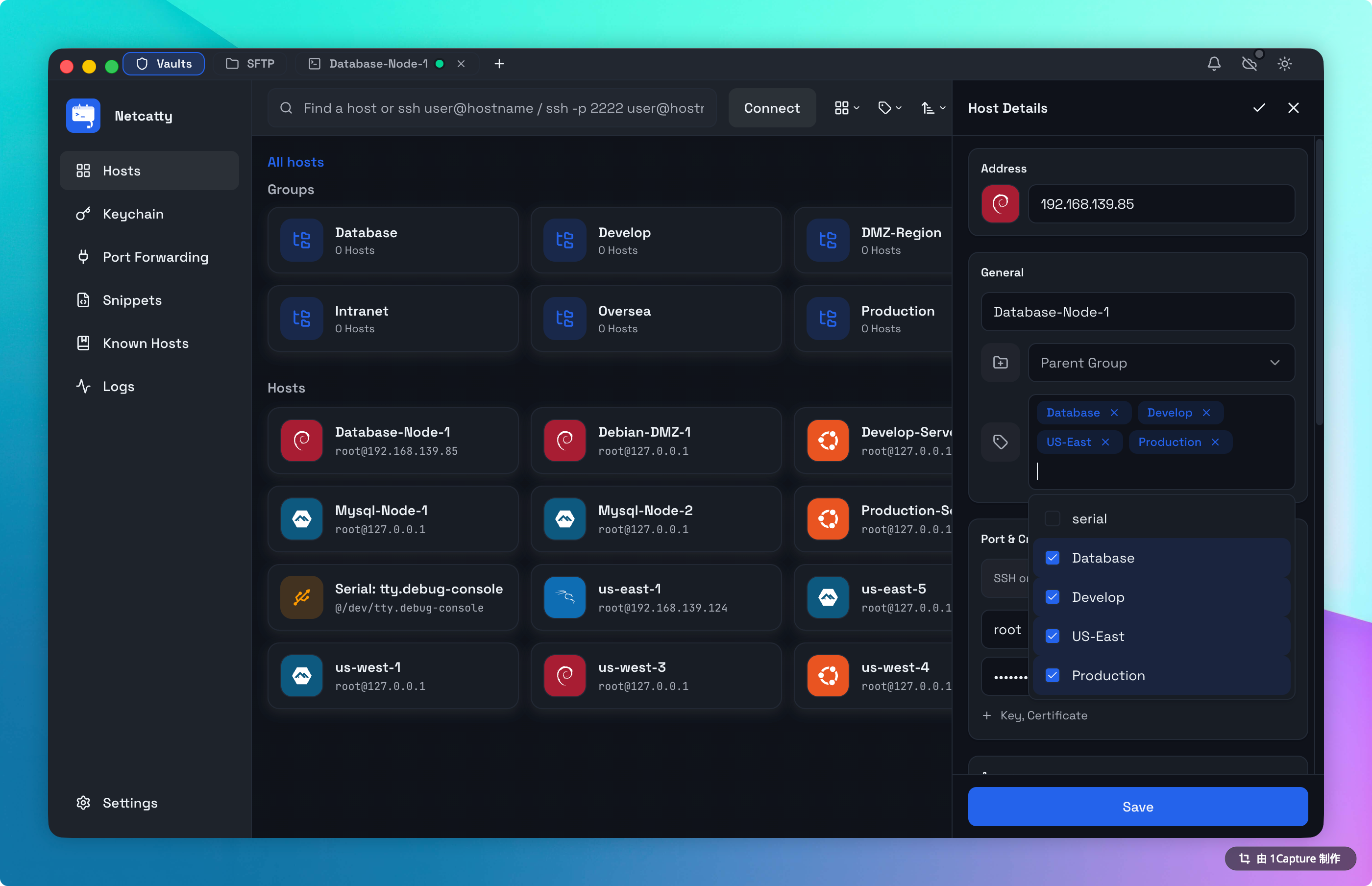
Smart Group Management
Drag and Drop
Netcatty allows for visual reorganization of your infrastructure:
- Move to Group: Drag a Host entry into any Folder in the sidebar or grid view.
- Nested Folders: Drag a Folder into another Folder to create nested hierarchies.
- Reorder: Drag items within the same group to customize your connection list.
Tagging
Tags provide a powerful way to categorize hosts across different groups. You can add tags within the Host Settings panel. Once tagged, clicking a tag in the sidebar instantly filters your view to only show hosts with that specific tag.
Auto-Discovery
We are working on feature to auto-import AWS EC2 tags as Netcatty tags. Stay tuned.